
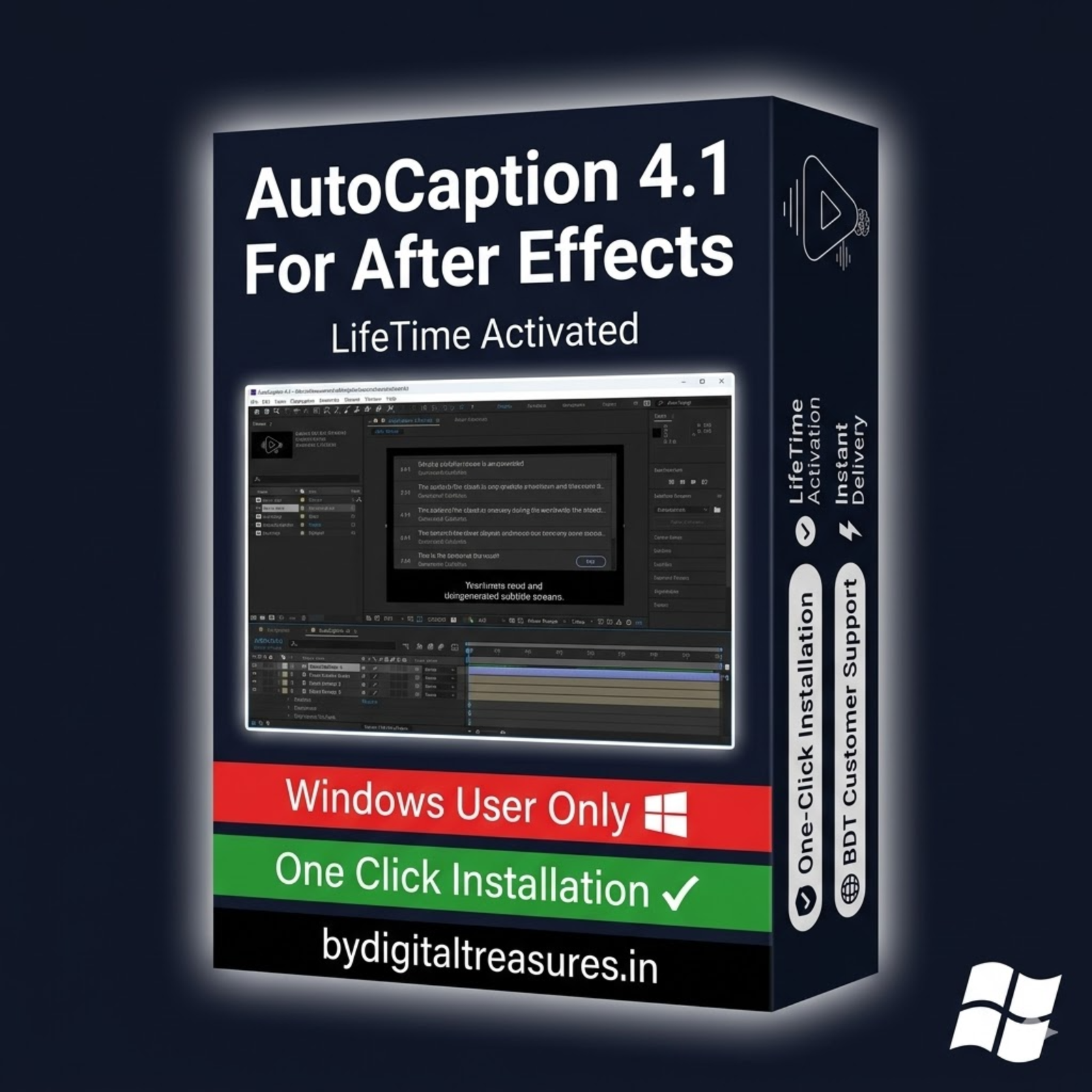
AutoCaption 4.1.0: The Premier After Effects Plugin for AI Subtitles
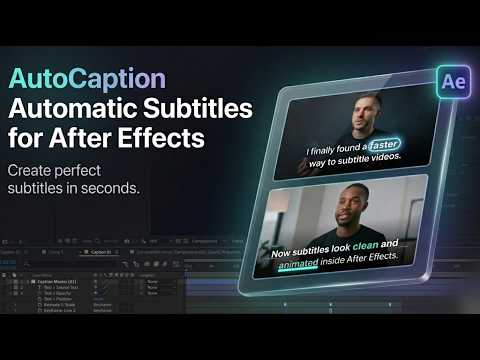
AutoCaption 4.1.0 is a revolutionary after effects plugin that changes subtitle creation. It uses advanced AI to transcribe any audio or video file. The plugin turns speech into editable text layers instantly. This removes hours of manual typing. Now you can focus on creative editing instead.
Powered by Deepgram Nova-3 and OpenAI Whisper, this ai subtitle software delivers high-precision transcriptions. It works directly inside Adobe After Effects. No need to switch between different applications. Subtitles become real text layers. You can edit fonts, colors, and timing like any other element. This guide covers every feature of this essential caption plugin after effects users love.

What is AutoCaption 4.1.0?
AutoCaption is a professional subtitle generator built for Adobe After Effects. It automates the entire captioning workflow. The software listens to your audio or video file. Then it writes the words as text layers on your timeline. This automatic subtitle generator works for any spoken content. It is perfect for interviews, YouTube videos, documentaries, and social media clips.
The plugin creates real, editable text layers. You are not stuck with burned-in or hard-coded captions. Change the font style with one click. Adjust the timing of each word. Apply complex text animations. The possibilities are endless. This makes it a powerful video captioning tool for professional editors.
Unlike cloud-based services, this after effects plugin keeps your workflow internal. You never leave the AE environment. The entire process happens within your composition. This saves time and protects your project organization.
AutoCaption 4.1.0 Key Features
This version includes powerful updates and new features. The development team focused on speed, accuracy, and creative control. Here are the main capabilities you will use every day.
1. AI-Powered Transcription with Deepgram & Whisper
The plugin uses two high-precision AI engines. Deepgram Nova-3 and OpenAI Whisper Large v3 work together. They provide reliable speech-to-text conversion with minimal processing errors. The system handles various accents and speaking speeds. Background noise is filtered intelligently. This ensures clean, accurate subtitle text every time.
2. Native After Effects Text Layers
Subtitles become real text layers in your composition. This is a major advantage over other text animation software. You can edit fonts, colors, tracking, and leading directly. Apply any character or paragraph style. Use expressions to link subtitle text to other layers. The creative freedom is total.
3. 30+ Ready-Made Subtitle Styles
Choose from over 30 fully editable subtitle presets. These are designed for social media, explanatory videos, reels, and YouTube content. Each style includes professional color schemes and typography. Apply a preset in one click. Then customize it to match your brand. This is ideal for creators who need consistent, high-quality results quickly.
4. Built-In Animation Presets
Animate subtitles instantly with built-in presets. Choose from “Typewriter,” “Shiver,” “Pulse,” and “Swimming.” Each preset creates professional motion graphics without keyframing. The animations are clean and engaging. They make your captions stand out without distracting the viewer. This feature alone saves hours of manual animation work.
5. Customizable Animation Management
You have complete control over animation parameters. Adjust speed, timing, and movement for each preset. Create your own unique subtitle animation style. Combine different effects for complex motion. The system remembers your custom settings for future projects. This makes it a versatile motion graphics tool for any editing style.
6. No API Key Required
This automatic subtitle tool works immediately after activation. There are no additional configurations, accounts, or external API keys needed. The transcription engine is built directly into the plugin. This removes a major barrier for many users. Install the plugin, open After Effects, and start creating subtitles. It is that simple.
7. Multilingual Support for Global Content
AutoCaption supports many languages. The AI transcription works effectively across different linguistic structures. It provides the best results with clear speech and sound. This makes it perfect for international video producers. Create subtitles for English, Spanish, French, German, Japanese, and more. Expand your content’s global reach effortlessly.
8. Fully Editable Output
Nothing is permanently burned into your video. Customize time, text, layout, style, or animation at any time. All subtitle data remains as editable layers. You can fix a single word without re-rendering the whole project. This flexibility is crucial for professional workflows. It also allows for last-minute client changes without stress.
Why Choose This Genuine AutoCaption Setup?
Choosing the right after effects plugin impacts your entire workflow. A slow or buggy tool costs you money. This genuine setup of AutoCaption 4.1.0 provides stability and performance. We personally test every file before listing. You get a complete lifetime version with no trial limitations.
This is not a trial version. It is a complete lifetime version. All features are unlocked from day one. There are no watermarks, time limits, or disabled functions. You can use it for commercial projects immediately. This is the full professional tool that editors rely on worldwide.
The setup files are clean and safe. We scan everything for malware and viruses. Installation is straightforward. The plugin integrates seamlessly with After Effects CC 2019 through 2026. It works on Windows 10 and 11 (x64) systems. You get instant digital delivery after purchase. Download the files from your account dashboard right away.
System Requirements for AutoCaption 4.1.0
Verify your system meets these requirements before purchase. This ensures smooth operation and optimal performance.
- Compatibility: After Effects CC2019, CC2020, CC2021, CC2022, CC2023, CC2024, CC2025, CC2026
- Operating System: Windows 10 (64-bit) or Windows 11 (64-bit)
- Internet Connection: Required for AI subtitle creation and transcription
- File Upload Limit: 200MB maximum per audio or video file
- Interface Language: English
- Processing Note: Transcription time depends on your audio file length
Better sound quality improves transcription accuracy. Use clear audio with minimal background noise. The plugin performs best with professional voice recordings. However, it can also handle moderate background sounds.
Getting Started with AutoCaption 4.1.0
Creating subtitles takes just minutes with this workflow. Here is how it works step by step.
First, import your audio or video file into After Effects. Create a new composition or open an existing one. Select the layer containing your audio. Then launch AutoCaption from the Window menu or Effects panel.
Second, choose your language and transcription settings. The plugin will analyze the audio. It will generate a text transcript on your timeline. Each sentence becomes a separate text layer. The timing is automatically synced to the audio waveform.
Third, select a subtitle style from the 30+ presets. Apply your chosen animation preset. Adjust timing or text formatting as needed. The entire process takes minutes for a typical 10-minute video.
Fourth, review and export your composition. The subtitles are now part of your project. You can render the video with captions burned in. Or keep them as separate layers for future edits. The choice is yours.
Who Is AutoCaption 4.1.0 For?
This after effects plugin serves many types of creators. YouTube video producers save hours per video. Social media managers create engaging content faster. E-learning developers add accurate subtitles to courses. Documentary editors streamline their interview workflow. Marketing agencies produce accessible content for clients. Freelance video editors increase their project turnaround speed.
Anyone who adds text to video will benefit. The time savings alone justify the investment. The creative control makes your work stand out. This is not just a utility tool. It is a creative partner that enhances your final product.
Internal Related Products
Enhance your video editing workflow with these trusted tools from our store.
- After Effects Script Bundle — Automation Tools
- Motion Array Plugin for After Effects & Premiere Pro
- Motion Factory Pro — 5000+ Motion Graphics Presets
- AtomX Script — Template Manager for After Effects
- Vectary 3D Models Pack for Video Compositing
Guides & Resources for AutoCaption
Learn more about AI subtitle generation and After Effects workflows. These external resources provide additional tutorials and documentation.
- Official AutoCaption Developer Website
- Adobe After Effects Official User Guide
- YouTube Tutorial: AutoCaption Workflow for YouTube Videos
- School of Motion: Subtitle Animation Tutorial
- Wikipedia: Subtitles and Captioning Standards
- Deepgram: Whisper Large v3 AI Model Documentation
Frequently Asked Questions (FAQs)
Q1: What is the best auto caption plugin for after effects?
AutoCaption 4.1.0 is widely considered the best auto caption plugin for after effects. It combines high-precision AI transcription with native text layer integration. Unlike other plugins, it works without external API keys. The 30+ built-in styles and animation presets save significant time. Professional editors prefer it for YouTube, social media, and documentary work. The Deepgram and Whisper AI engines provide industry-leading accuracy. This makes it the top choice for serious video creators.
Q2: How to add subtitles in after effects easily?
Adding subtitles in After Effects is easy with AutoCaption 4.1.0. First, import your audio or video file into a composition. Second, select the audio layer and launch AutoCaption. Third, choose your language and let the AI transcribe. The plugin creates synchronized text layers automatically. You can then apply any style or animation. Manual subtitle creation can take hours for a 10-minute video. AutoCaption reduces that time to just a few minutes. It is the fastest method available.
Q3: Is there an ai subtitle generator for youtube videos?
Yes, AutoCaption 4.1.0 is an excellent ai subtitle generator for youtube videos. It creates high-quality, engaging subtitles that improve viewer retention. The 30+ social media styles are perfect for YouTube content. You can add animated captions that match your channel’s branding. The AI transcription handles various speaking styles and accents. Subtitles make your videos accessible to a global audience. They also help with SEO and viewer comprehension. AutoCaption makes this process fast and professional.
Q4: How long does delivery take for this product?
Delivery is instant after payment confirmation. You will find the genuine setup files in your My Account → Downloads section. There is no waiting period or manual approval process. The system automatically provides access as soon as the transaction is complete. You can download the plugin immediately and start creating subtitles. We also send a confirmation email with download links. If you face any issues, contact us on Telegram for immediate help.
Q5: Which operating systems and After Effects versions are compatible?
AutoCaption 4.1.0 works on Windows 10 (64-bit) and Windows 11 (64-bit) systems. It is compatible with After Effects CC2019 through CC2026. This includes all versions from 2019 to the latest 2026 release. The plugin requires an internet connection for AI transcription. Each file upload is limited to 200MB maximum. Better audio quality produces more accurate subtitle text. Background noise can reduce transcription precision.
Q6: What is your refund policy for digital products?
Please see our complete refund policy at bydigitaltreasures.in/refund-policy for full details. Digital products are generally non-refundable due to their instant delivery nature. However, we handle each request on a case-by-case basis. If you experience technical issues, contact us first. Our support team will help resolve any problem. We stand behind every product we sell. Your satisfaction is our priority.
Q7: How do I get support for this after effects plugin?
Contact us directly via Telegram at t.me/ByDigitalTreasuresHelp for fast support. We also respond to WhatsApp messages and email inquiries. Our team typically replies within a few hours. We can help with installation questions, compatibility issues, or general guidance. All our products are personally tested before listing. So we know them inside and out. Do not hesitate to reach out with any question.
Q8: Is this genuine AutoCaption 4.1.0 software?
Yes, this is the genuine AutoCaption 4.1.0 setup. Every product is personally tested by our team before listing. This is not a trial version. It is a complete lifetime version with full functionality from day one. We provide genuine lifetime-activated setup files only. There are no watermarks, time limits, or disabled features. 100% working guaranteed. We stand behind every product we sell. You get the full professional tool that editors trust worldwide.
Digital delivery only — no physical disc or box is included.
✅ Genuine Lifetime Activation — No monthly fees
✅ Works on Multiple Devices
✅ 24/7 Support via Telegram: t.me/ByDigitalTreasuresHelp
⚡ Instant Digital Delivery: Setup files in My Account → Downloads after payment
💳 One-time payment — own it forever, no subscriptions
Trusted by customers in 28+ countries | 360+ verified Etsy sales | 4.5★ rated
Website: https://bydigitaltreasures.in/
Reviews
There are no reviews yet.